

Why People Are Not Using Apple Invitations
- -A paid iCloud+ subscription is mandatory for event organizers, limiting access for average users.
- -Invitees do not need Apple accounts but certain features (like RSVP or shared albums) are reduced for non-Apple device recipients.
- -Confusion remains high around how non-Apple users can access or interact with invites, with reports of missing or undelivered invitations.
- -Cross-platform limitations: Android and Windows users often report issues with accessibility, and receiving invitations via SMS can be inconsistent.
- -Existing habits, alternative platforms (like Google Calendar, Partiful, Evite), and lack of feature parity slow down adoption of Apple Invitess.
- -Technical glitches (notifications, calendar sync) and permission issues deter regular use, especially for mixed-device user groups.
- -Effective outreach, user education, and offering value beyond alternatives could help drive adoption.
Why People Are Not Using Apple Invitations
In today's digital age, convenience and efficiency are paramount, especially when it comes to organizing events. Yet, despite Apple's reputation for innovation, Apple Invitations have not seen widespread adoption. This article delves into the reasons behind this limited use, explores the challenges faced by users, and provides actionable insights for event organizers and participants alike.
Key Takeaways
- A paid iCloud+ subscription is mandatory for event organizers, limiting access for average users.
- Invitees do not need Apple accounts, but certain features are reduced for non-Apple device recipients.
- High confusion around cross-platform compatibility and missing features for non-Apple users.
- Cross-platform limitations: Android and Windows users often report issues with accessibility.
- Existing habits and alternative platforms slow down adoption of Apple Invitations.
- Technical glitches and permission issues deter regular use.
- Effective outreach, user education, and offering value beyond alternatives could help drive adoption.
The iCloud+ Subscription Requirement
Why an iCloud+ Subscription is Essential
To leverage the full suite of Apple Invitations, event organizers must have an active iCloud+ subscription. This requirement poses a significant barrier for many potential users, particularly those who do not wish to commit to a paid service just to send invites. The subscription is essential for accessing advanced features such as shared albums and enhanced privacy settings.
The Impact on Adoption
The necessity of a paid subscription limits the pool of potential users. Many individuals and small businesses prefer free alternatives, such as Google Calendar or Partiful, which do not require a financial commitment. This hesitance is compounded by the lack of awareness about the subscription's added value.
Example: A Small Business Owner's Dilemma
Consider a small business owner planning a product launch. They might find the requirement for iCloud+ prohibitive, especially if their budget is tight. Instead, they might opt for a free platform, even if it means sacrificing some of Apple Invitations' unique features.
RSVP Process for Non-Apple and Cross-Platform Users
How Non-Apple Users Interact with Apple Invitations
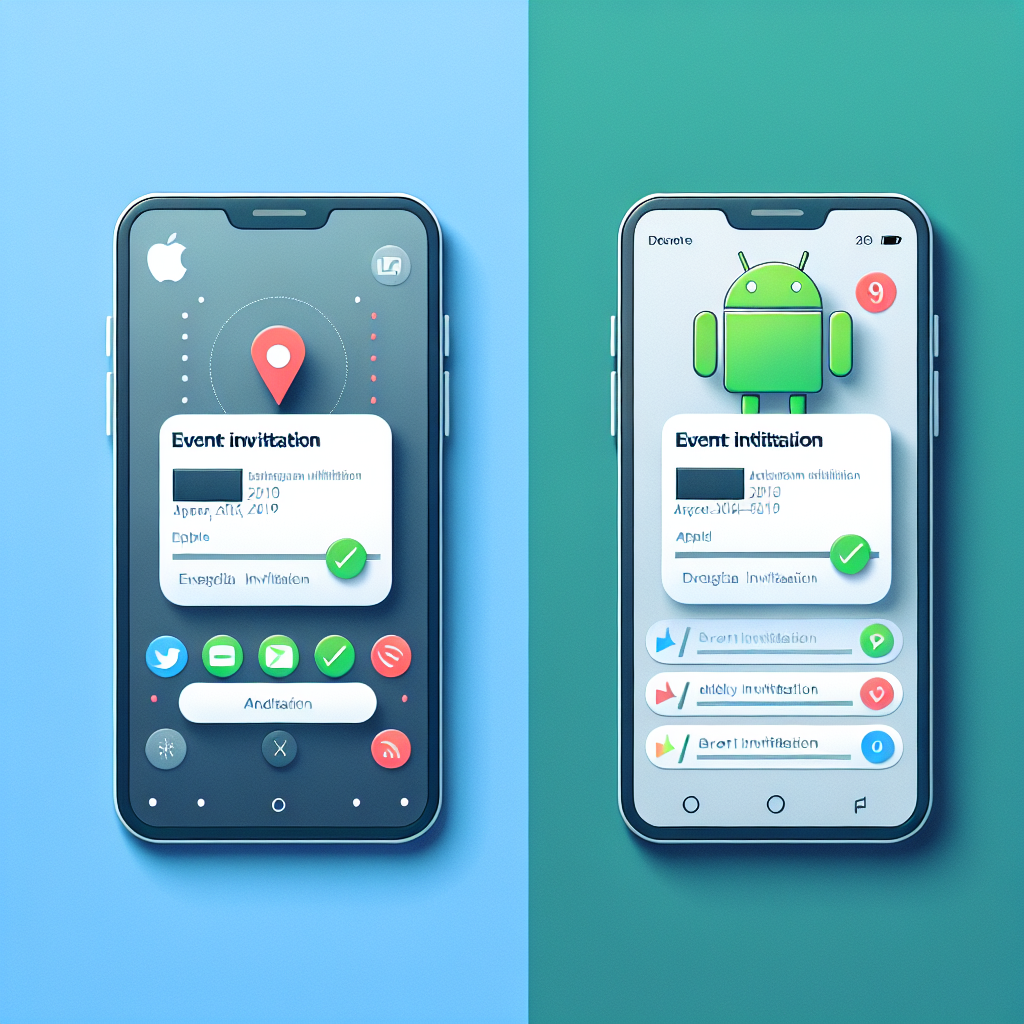
One of the most significant challenges is the RSVP process for non-Apple users. While these recipients can view invitations, they often encounter limitations in interaction. Features like RSVP tracking and event updates are less seamless compared to those experienced by Apple users.
Cross-Platform Compatibility Issues
Compatibility issues arise frequently when invitations are sent to Android or Windows users. These users might miss out on notifications, or the invites may not sync properly with their calendars. This inconsistency leads to frustration and a preference for more universally compatible tools.
Example: A Mixed-Device Family Event
Imagine a family planning a reunion where not everyone uses Apple devices. The organizer might face challenges in ensuring that each family member receives and can interact with the invitation correctly. This scenario highlights the need for a more inclusive approach to digital invitations.
Accessibility and Missing Features for Android/Windows Recipients
Limitations for Non-Apple Invitees
Non-Apple users often find themselves at a disadvantage due to missing features. For instance, they might not have access to shared albums or may experience difficulty in viewing event details. This lack of feature parity discourages the use of Apple Invitations among mixed-device groups.
Technical Glitches
Technical issues such as undelivered invites or faulty calendar syncing are common complaints. These glitches further deter users who require reliable and consistent communication tools.
Example: A Corporate Event Organizer's Challenge
A corporate event planner using Apple Invitations may face significant hurdles if their guest list includes clients or partners using non-Apple devices. The risk of undelivered invitations or lack of access to event materials can lead to miscommunication and diminished event success.
Comparison to Other Digital Invitation Tools
Google Calendar and Partiful as Alternatives
Google Calendar and Partiful are popular alternatives that offer cross-platform compatibility without the need for subscriptions. These platforms provide a more straightforward experience for users with mixed device ecosystems, making them attractive options for event organizers.
Feature Parity and User Experience
While Apple Invitations offer unique features like enhanced privacy controls and integration with other Apple services, the lack of feature parity with competitors can be a dealbreaker. Users often prioritize accessibility and ease of use over additional features they might not fully utilize.
Example: A Tech Enthusiast's Perspective
A tech enthusiast might appreciate Apple Invitations' integration with other Apple services but ultimately choose Google Calendar for its versatility across different devices. This decision underscores the importance of cross-platform functionality in today's interconnected world.
Privacy and Visibility Settings for Invitations
Managing Privacy Concerns
Apple Invitations offer robust privacy settings, which can be a significant advantage for users concerned about data security. However, the complexity of these settings can be daunting for those unfamiliar with Apple's ecosystem.
Visibility Challenges
Ensuring the right level of visibility for an event is crucial. Apple Invitations allow for detailed control over who can see and interact with an invitation, but these settings can sometimes lead to confusion or accidental exclusions.
Example: An Event Organizer's Privacy Dilemma
An event organizer prioritizing privacy might appreciate Apple's settings but struggle with their complexity. Misconfiguring these settings could result in key stakeholders being inadvertently excluded from an invitation list.
User Education and Troubleshooting
The Importance of User Education
Educating users about the features and benefits of Apple Invitations is crucial for increasing adoption. Many potential users are unaware of the platform's capabilities and how they can enhance event organization.
Troubleshooting Common Issues
Providing clear and accessible troubleshooting resources can help alleviate many of the frustrations associated with Apple Invitations. Addressing common issues such as undelivered invites or syncing problems can significantly improve user experience.
Example: A Business Professional's Journey
A business professional might initially struggle with Apple Invitations but find success after accessing educational resources and troubleshooting guides. This journey highlights the value of user education in overcoming initial barriers.
Conclusion
In conclusion, while Apple Invitations offer unique features and benefits, their adoption is hindered by the requirement for an iCloud+ subscription, cross-platform compatibility issues, and a lack of user education. By addressing these challenges, Apple can enhance the platform's appeal to a broader audience. For event organizers and participants, understanding these barriers and leveraging alternative solutions where necessary can lead to more successful and inclusive events. Consider exploring tools like Mood, which offer cross-platform compatibility and ease of use, to complement or enhance your event planning experience.